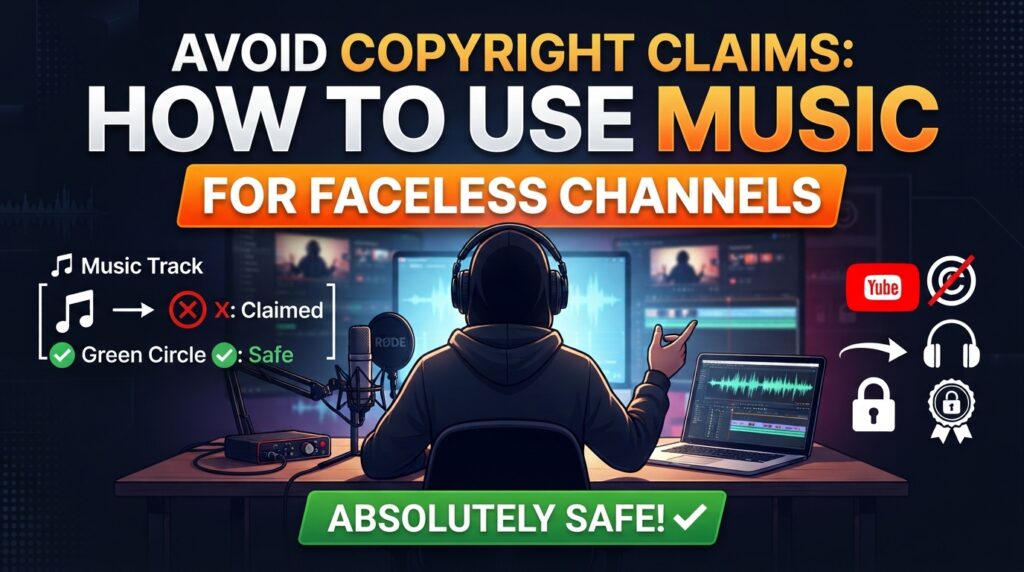
The rise of faceless YouTube channels—ranging from lo-fi study streams and ambient relaxation spaces to automated documentary and motivational niches—has opened up massive monetization opportunities. However, running a successful faceless channel comes with a unique set of challenges. Because these channels rely heavily on high-quality visuals, voiceovers, and ambient audio, music is often the emotional backbone of the content.
Unfortunately, many creators fall victim to the automated detection systems of major platforms, most notably YouTube’s Content ID. A single copyright claim can instantly demonetize a video, shifting all ad revenue to the copyright holder. Multiple copyright strikes can even lead to the permanent deletion of a channel.
If you want to protect your hard work and secure your revenue streams, you must understand exactly how the digital audio copyright landscape works. This comprehensive guide outlines the foolproof strategies you need to use music for faceless channels with absolute safety.
1. Understanding Content ID and Copyright Mechanisms
To protect your channel, you must first understand your opponent: the Content ID system. This is a massive, automated database developed by Google that scans uploaded videos against a library of audio and visual material submitted by copyright owners.
When a match is found, the system automatically applies a Copyright Claim.
• Copyright Claim: This is generally non-punitive to your channel’s standing. It simply means the copyright owner has decided to track the video, block it in certain regions, or—most commonly—take your ad revenue.
• Copyright Strike: This is a legal takedown request issued manually by a copyright owner. It is severe. Accumulating three strikes results in channel termination.
For faceless channels, automated claims are the silent killer of profitability. To keep your videos green and monetized, you must use audio that bypasses or automatically clears this detection.
2. The Golden Rule: Rely on Royalty-Free Subscription Platforms
The absolute safest and most efficient way to source music for a commercial faceless channel is by using reputable, paid royalty-free music subscription services.
When you pay a monthly or annual subscription to platforms like Epidemic Sound, Artlist, or Audiio, you are not buying the songs; you are buying a license to use them commercially. Crucially, these platforms feature automated safelisting (or whitelisting). During setup, you connect your YouTube channel ID to your music account. When you publish a video containing their tracks, the platform automatically tells YouTube’s Content ID system that you have a valid license, preventing any claims from triggering.
Top Platforms for Faceless Channels:
• Epidemic Sound: Exceptional for sound effects (SFX) and ambient tracks, which are crucial for maintaining engagement in faceless content.
• Artlist.io: Offers high-quality, cinematic music perfectly suited for documentary-style, storytelling, or travel faceless niches.
• Audiio: Great lifetime license options for creators looking to minimize recurring overhead costs.
Pro-tip: If you cancel your subscription, videos published while your subscription was active remain safely covered forever. However, you cannot use downloaded tracks in new videos after your subscription ends.
3. Embracing the YouTube Audio Library (100% Free & Safe)
If your budget is tight or you are just starting out, your first stop should always be the built-in YouTube Audio Library found inside YouTube Studio.
Every single track and sound effect in this library is fully cleared for monetization. Because Google owns the database, these tracks will never trigger a Content ID claim within the YouTube ecosystem.
How to navigate it safely:
1. Filter by Attribution: Some tracks are completely free to use without restrictions. Others fall under a Creative Commons Attribution license, meaning you simply need to copy and paste the provided artist credits into your video description.
2. Sort by Mood and Genre: Since faceless videos rely heavily on setting an atmosphere, use filters like „Calm,“ „Dramatic,“ or „Inspirational“ to find the perfect background score.
4. The Dangers of „No Copyright“ YouTube Channels
A common trap for beginners is downloading music from YouTube channels with titles like „No Copyright Music“ or „Royalty Free Beats.“ While many of these channels act in good faith, this method carries immense risks for a commercial channel.
• The Ownership Switch: A producer might allow free use of their music today. However, if that artist signs with a traditional record label next year, the label will register the music into Content ID. Suddenly, your older videos will receive retroactive copyright claims.
• Malicious Trolls: Some malicious entities upload music under the guise of „free use,“ wait for hundreds of channels to use it in successful videos, and then register the track to claim all accumulated ad revenue.
If you do use music from independent artists, ensure you obtain a written, signed synchronization license agreement that explicitly grants you perpetual, worldwide commercial rights.
5. Creative Commons and Public Domain: Safe, But Do Your Homework
Using historical music or assets licensed under Creative Commons can be a great asset for niche faceless channels (such as historical or educational channels).
• Public Domain: In general, music recorded before 1929 is out of copyright protection. However, while the composition (the sheet music written by Mozart, for example) may be in the public domain, a specific modern recording of a symphony playing that music is protected by copyright. You cannot use a 2024 podcast recording of Beethoven without a license.
• Creative Commons (CC): Always look for CC BY (requires attribution) or CC0 (public domain dedication). Strictly avoid any license marked NC (Non-Commercial), as running ads on your YouTube channel legally counts as a commercial enterprise.
6. Managing Claims Like a Professional
Even when you follow all the rules, automated systems can make mistakes. „False positives“ happen when an algorithm misidentifies a generic beat or instrument. If you receive a claim on a track you have legally licensed, do not panic. Follow these steps:
1. Do Not Delete the Video: Deleting the video forfeits any revenue generated and removes the chance to fix the issue.
2. File a Dispute: Inside YouTube Studio, select the restriction and click „Dispute.“ Choose the option stating you have a valid license or written permission.
3. Provide Proof: Paste your subscription invoice number, licensing certificate, or platform receipt directly into the dispute text box.
4. Escrow Revenue Protection: While a dispute is active, YouTube places all ad revenue generated by that video into a separate escrow account. Once the claim is cleared in your favor, all that held revenue is paid out directly to you.
Summary Checklist for Absolute Safety
To ensure your faceless channel remains highly profitable and legally secure, implement this operational routine:
• Connect your social media channels to your paid music platform’s safelist before publishing.
• Keep an organized local folder on your computer containing PDF certificates for every licensed track used.
• Double-check Creative Commons requirements and paste proper attribution credits in your video descriptions.
• Avoid using popular mainstream pop or cinematic music, even for a few seconds; fair use rarely protects automated faceless aggregation.
• Use the YouTube Studio checks phase during your video uploads to catch and resolve claims before setting the video to „Public.“
By treating audio sourcing as a strict business protocol, you protect your channel from sudden demonetization, ensuring long-term financial growth and total peace of mind.